TypeScipt / Javascript

Convert date format dd.mm.yyyy to a SharePoint query string format with JavaScript regular expression

Javascript logo

In SharePoint queries you should use date in the format ‘yyyy-mm-ddTHH:MM:SSZ’, for example, 2019-09-30T09:00:00Z. But the input form of the SharePoint datetime controls returns the value as ‘dd.mm.yyyyy’, the time value you will recieve in another way. Read more»


TypeScipt / Javascript

Open specific tab on page load with JQuery UI

jQuery logo

I made a simple HTML page with JQuery UI tabs. But the customer asked to give URLs for each tab. I was a bit surprised with it, because I remember only how to make default tab on page load. You can do it with the syntax like this: $(“#tabs”).tabs( { selected: x  });  where ‘x’ […] Read more»

TypeScipt / Javascript

Является ли значение числом в Javascript

Для того, чтобы определить, является ли значение переменной числом или нет, можно использовать встроенную функцию isNaN(). Название isNaN означает «is Not a Number». Соответственно, функция возвращает обратное значение от того, число это или нет, т. е. если значение переменной число, то функция вернет false (ложь), а если не число, то true (истину). Read more»

TypeScipt / Javascript

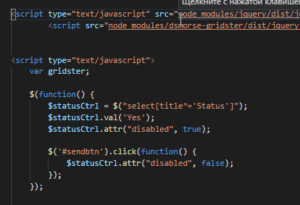
Trick how to make Select control as readonly using jQuery but not disabled

Readonly select with jQuery

There’s a control <select> on your page and you want to use it’s value as selected and don’t want to allow user to change it. Unfortunately, there’s no attribute “readonly” for select as for <input> ones. You can use only attribute “disabled”, but in this case its value will not be sent. But there’s a […] Read more»

TypeScipt / Javascript

Javascript equivalent to PHP print_r($array)

Javascript logo

There’s an equivalent in jQuery to PHP function print_r($array). It’s good when you want to see an associative array. Especially, if you get it via some function. Read more»

TypeScipt / Javascript

Chain multiple selectors in jQuery

jQuery logo

If you want to apply the same action for multiple selectors in jQuery, you should write down their identificators separated by comma. It can be as simple ID of elements, their classes or something more difficult. Read more»

TypeScipt / Javascript

jQuery find tag which contains text

jQuery logo

Find tag which contains some text you’re looking for using jQuery. It’s a common task if you want to modify some elements on page but you can’t modify html-code of page. Read more»

TypeScipt / Javascript

Popular Posts