Software

How to Write Formatted Code in Teams Chat

Teams

When you want to send to your colleague a text with C# code or any other language, you can make the code look just like in an IDE – colored and highlighted. If you type three backticks “` at the beginning of a line in Microsoft Teams and press Enter, you can write properly formatted […] Read more»


Windows

What do to with Zone.Identifier files after importing a WSL machine and copying data

After importing a WSL distribution and copying files from one WSL instance to another, I ended up with thousands of files with :Zone.Identifier at the end of their names. Zone.Identifier is a Windows security metadata stream that marks files downloaded from the Internet. Read more»

Linux

Install Debian as a Windows Subsystem for Linux (WSL)

I often use Linux, even though Windows is my main operating system. For me, Windows works best for everyday tasks, while Linux is ideal for servers and development environments. Some people agree with this approach; others prefer a single OS for everything. Read more»

Linux

Set limited Wi-Fi connection within command line in Windows

How to manage Wi-Fi cionnections from the command line? I like to do lots of things with it. With the command ‘netsh wlan show profiles‘ you can get the list of all the known wifi-connections. You need these values to operate with them further. Read more»

Windows

Pipeline sequence in PowerShell

Here’s an example of a pipeline sequence in PowerShell — a simple but powerful concept.Imagine you forgot to clean up your old log files. Or, as I had to do today, you open the dreaded folder ‘inetpub/mailroot/Badmail’ on a dev server and see thousands of files. Read more»

Windows

Create 7Z archive with password in Command line

To create a 7Z archive with password from SSH command line in Debian / Ubuntu, you can use the command like this Read more»

Linux

Move multiple lines up and down with Notepad++

Notepad++

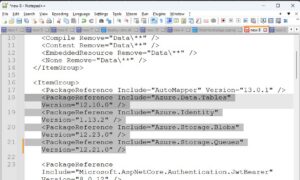
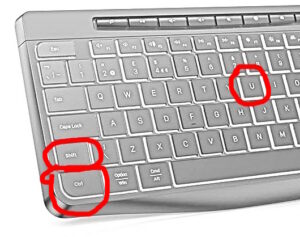
Accidentally I found out, that Notepad++ allows to move multiple lines up and down without Copy-Cut / Insert? Use Ctrl + Shift + (arrow up | arrow down). Read more»

Windows

Hotkeys to transform text to UPPERCASE or to LOWERCASE in Visual Studio and Visual Studio Code

Transform text UPPERCASE or lowercase is a very common task for a developer. And when the text is not in the required case, you obviously don’t want to type it one more time. Luckily, there are the developers of Visual Studio who already thought about it. Read more»

Windows

How to fix error WSL (12 – Relay) ERROR: CreateProcessParseCommon in Windows 11

I knew that Linux is installed at my Windows Installation. And if I choose Ubuntu among the installed apps, I could use it. But not with WSL, then the error. It was the same as from command line, PowerShell. It also didn’t allow me to execute any Linux utils within ‘wsl -e … ‘ Read more»

Windows

Popular Posts