
When I tried to execute http-server from nodejs (with command ‘http-server –o’), I had got the error. The solution requires to update execution policy.
The code of error is:
http-server : File C:\Users\Alexey\AppData\Roaming\npm\http-server.ps1 cannot be loaded because running scripts is disabled on this system. For more information, see about_Execution_Policies at https://realdevtips.com/go.microsoft.com/fwlink/?LinkID=135170.
At line:1 char:1
+ http-server -o
+ ~~~~~~~~~~~
+ CategoryInfo : SecurityError: (:) [],
PSSecurityException
+ FullyQualifiedErrorId : UnauthorizedAccess
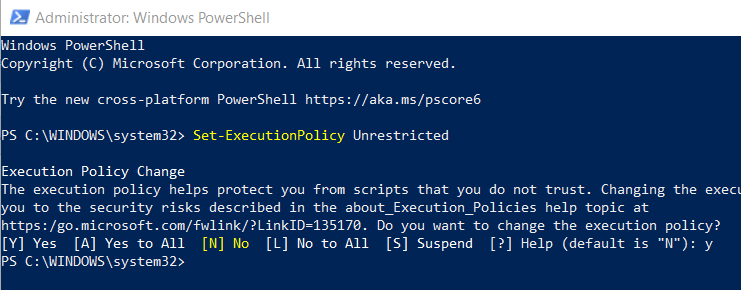
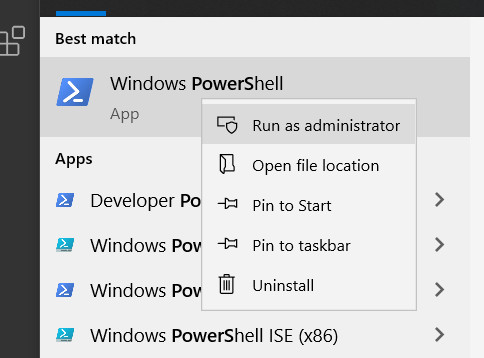
To fix it you should run PowerShell as administrator and execute command
Set-ExecutionPolicy Unrestricted
It will update the execution policy of scripts. Of course, Microsoft thinks that it’s not secured. And it’s true. That’s why I recommend you to return the value of this item back to Restricted after your work.
To return the default value use the command:
Set-ExecutionPolicy Restricted