
PowerShell

Portable Gacutil – How to Execute It Correctly
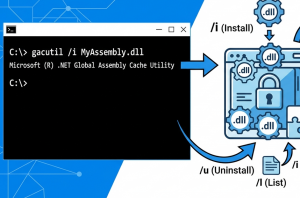
I recently needed to investigate a DLL version incompatibility on a Windows Server. I needed the Gacutil utility to check which version of an assembly was installed in the Global Assembly Cache (GAC). The problem was that there were no development tools installed on the server. Instead of installing the complete development environment, I decided […] Read more»

.Net & C#

SharePoint onPrem: Create ContentType with the specific ID

SharePoint 2016 Logo

At my previous job I was happy to work with SharePoint on-premises. More than 10 years with SP 2007, 2010 and finally 2019. Almost 3 years ago I thought I won’t cooperate with it. In May 2026 the support of SharePoint server ends. But as it turned out many companies still use SP on-prem and […] Read more»

SharePoint

Set limited Wi-Fi connection within command line in Windows

How to manage Wi-Fi cionnections from the command line? I like to do lots of things with it. With the command ‘netsh wlan show profiles‘ you can get the list of all the known wifi-connections. You need these values to operate with them further. Read more»

Windows

Pipeline sequence in PowerShell

Here’s an example of a pipeline sequence in PowerShell — a simple but powerful concept.Imagine you forgot to clean up your old log files. Or, as I had to do today, you open the dreaded folder ‘inetpub/mailroot/Badmail’ on a dev server and see thousands of files. Read more»

Windows

Update the Created Field in SharePoint online with PnP PowerShell

SharePoint 2016 Logo

To update the Created Field for SharePoint list item you can start the script like this. The most important here is the ‘fullcontrol’ permissions and ‘-UpdateType UpdateOverwriteVersion’ parameter in the request. Read more»

SharePoint

How I made a step on a rake with SharePoint SPUserId

SharePoint 2016 Logo

There are a lot of cases when you need to get the items by the author. For me the only correct way to get the SharePoint list items by user with CAML is like this: Read more»

SharePoint

Delete SharePoint Timer job

SharePoint 2016 Logo

You can delete timer job only with PowerShell. Why? I guess you know why 🙂 The most popular reason is the duplicating of timer jobs. To delete a timer job, you need to know the ID. And you can get it also with PowerShell or with GUI. Read more»

SharePoint

Run PostgreSQL in Docker

To Run PostgreSQL in Docker I use an official image ‘postgres’ from https://hub.docker.com/_/postgres. You can start it as it’s described in the documentation, but I prefer to use docker-compose. For me it’s more flexible and allows to avoid of errors when start form command line. Read more»

Web server

Copy SharePoint Online list items from one site to another one

SharePoint 2016 Logo

Below you can find a PowerShell script to copy items from one SharePoint list at one site to another SharePoint list in another site. I use it with several modifications to work with the data in test environments. Read more»

SharePoint

Popular Posts