
PowerShell

PowerShell script to update SharePoint online list items
I had a SharePoint online list and I added a new column into it. And then I wanted to work with a data, which is close to be real. So I needed to generate the data and insert it into the list. For the tasks like this I like to use division by module to […] Read more»
SharePoint

8 steps to add SVC service to SharePoint on-premises solution programmatically

SharePoint 2016 Logo

When you make a SharePoint 2019 on-premises solution, you can make not only SPFX solutions, but also old-school WSP-solutions. It allows you not only to use SharePoint API, but also to use your own API services. With SharePoint 2019 you can use WCF service. For example, it’s a good way when you develop an application […] Read more»

SharePoint

Add the application as a service at Windows Server

You can add the service with PowerShell. New-Service and Get-service are available in PowerShell 5, for ‘Remove-Service’ PowerShell >= 6 required. Otherwise you can use ‘sc.exe DELETE MyMegaServiceApplication’. You should execute it with as an administrator. Not any application you can start a service. As a .Net developer, I usually create .Net solutions, in this […] Read more»

Windows

Execute Linux commands at Windows OS with Powershell

As it turned out, I can execeute linux scripts at my Windows PC with WSL installed with Powershell! Just write ‘wsl -e ‘ and after that a command to execute. Read more»

Linux

Fix Gilab runner error: listen_address not defined, metrics & debug endpoints disabled builds=0

The error is: Configuration loaded builds=0listen_address not defined, metrics & debug endpoints disabled builds=0[session_server].listen_address not defined, session endpoints disabled builds=0In gitlab runners allor “Run untagged jobs: Indicates whether this runner can pick jobs without tags”, set the checkbox correspondingly. Read more»

Windows

Get all child folders with PowerShell

The commandlet ‘Get-ChildItem’ will give you all the default information about the folders inside. By default they are: Mode, LastWriteTime, Length (for files) and Name. Get-ChildItem c:\Path Read more»

Windows

Set Windows Defender exclusions with PowerShell

To exclude folders, files or file extensions in scanning by Windows Defender, you can use PowerShell. It’s recommended to use by administrators. With this PowerShell script (command) you can easily set exclusion for the Windows Defender. It is useful sometime and help to improve the performance. Read more»

Windows

Http-server cannot be loaded in Windows 10

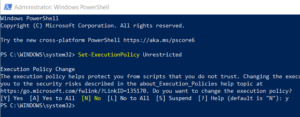
When I tried to execute http-server from nodejs (with command ‘http-server –o’), I had got the error. The solution requires to update execution policy. Read more»

Web server

Fix SharePoint 2010 PowerShell Error “The local farm is not accessible”

After installation several Windows updates on servers with SharePoint I had started to recieve the warnings “The local farm is not accessible. Cmdlets with FeatureDependencyId are not registered.”. It means that I can not use PowerShell for administration SharePoint. Read more»

SharePoint

SharePoint feature is not displayed in Features List

SharePoint 2016 Logo

Today in a test SharePoint environment I found that I don’t have one of SharePoint features which I have in the productive environment. I reinstalled the solution with this feature several times, but it hadn’t appeared. Read more»

SharePoint

Popular Posts