I – and I think many other people – often use VS Code for code formatting. You can easily format a selected block of text by pressing Ctrl + K, Ctrl + F, or format the entire file using Shift + Alt + F. But how do you do the exact opposite?
Today, I formatted a JSON object to edit it manually, but then I needed to paste it back into another system as a single line.
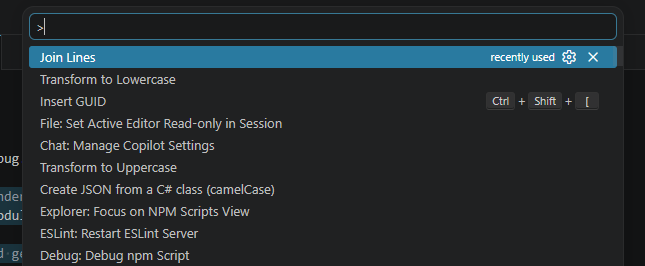
VS Code has a massive library of commands, and it turns out there is a built-in feature for exactly this scenario called “Join Lines”.
To use it:
- Select the text you want to unformat.
- Open the Command Palette by pressing F1 (or Ctrl + Shift + P).
- Type and select “Join Lines” from the menu.