In this post I will write about SQL conditions. It seems to me that construction “IF … ELSE” you can find in any language. Transact SQL is not exclusion.
Let’s see IF … ELSE in action on the sample below.
IF @s = 'abcdef'
   BEGIN
     select 'yes'
   END
ELSE IF @s = '123'
   BEGIN
	 select 'no'
   END
ELSE
   BEGIN
	 select '0'
   END
If you execute this code, you’ll get errors that @s is not declared.
Msg 137, Level 15, State 2, Line 1
Must declare the scalar variable “@s”.
Msg 156, Level 15, State 1, Line 5
Incorrect syntax near the keyword ‘ELSE’.
Msg 137, Level 15, State 2, Line 5
Must declare the scalar variable “@s”.
Msg 156, Level 15, State 1, Line 9
Incorrect syntax near the keyword ‘ELSE’.
You need to declare variable @s and set it’s value. You need to add above this code a string like ‘DECLARE @s CHAR(6) = ‘abcdefg’ ‘
Let’s see 3 different @s values.
1. Let’s set @s = ‘abcdefg’, but it’s type is CHAR(6)
DECLARE @s CHAR(6) = 'abcdefg'
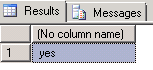
In this case if we execute SQL code, we’ll get the result “yes” though ‘abcdefg’ is not equal to ‘abcdef’. It’s because length of our variable is equal to 6 and our characters are truncated after 6th symbol.
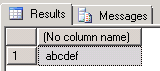
If we look at the @s value, we can see it’s real value (Figure 2):
DECLARE @s CHAR(6) = 'abcdefg'
SELECT @s
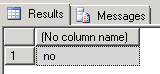
2. On figure 3 you can see the result if we set @s to ‘123’. Then we can see the result of ELSE IF section.
DECLARE @s CHAR(6) = '123'
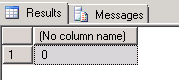
3. If we set @s to, for example, ‘12355’, we can see the result of ELSE section (Figure 4)
DECLARE @s CHAR(6) = '12355'