You can merge Excel cells in 3 simple steps:
- Select a range of cells.
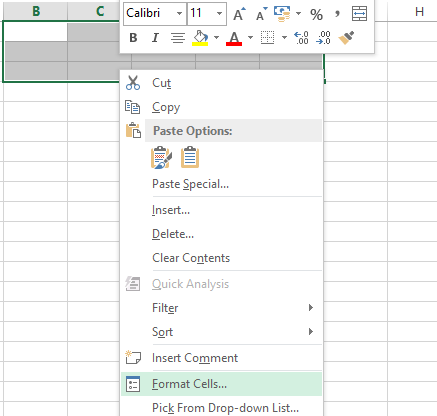
- Right click on the selected cells and then choose Format Cells (Figure 1)
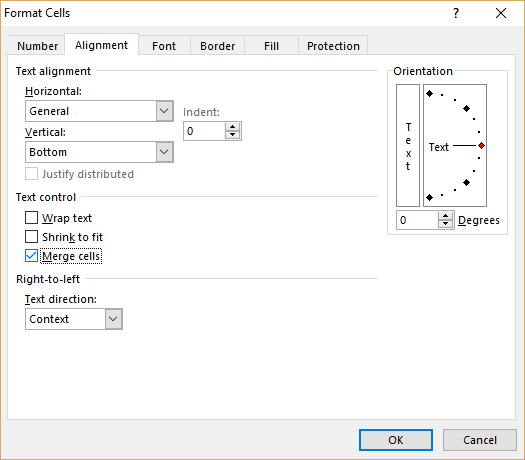
- Go to the Alignment tab and check the checkbox “Merge cells” (Figure 2).
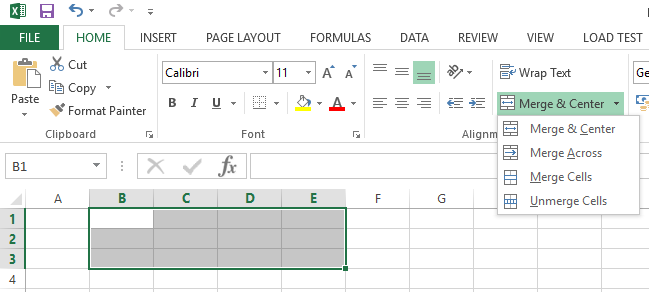
The other way to merge cells in Excel is via Excel Ribbon. This way is one step less.
- Select a range of cells.
- In Ribbon go to tab “Home” and press button “Merge and Center” (Figure 3)