
Microsoft Office

How to rotate text in Excel cell on 45 degrees
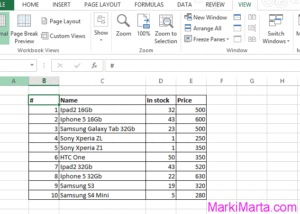
Figure 1. Excel table

Excel has a huge number of tools for customizing text and tools to count data. So, one of useful things is to rotate text on any angle. It can be useful for customizing table headers. Read more»
Microsoft Office

How to disabe Microsoft Office automatic updates

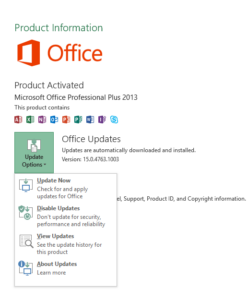
Figure 2. Change MS Office update settings

During long use of Microsoft products, I got a habit that to update Microsoft Office I need to download Service Pack for my MS Office version. But in MS Office 2013 I can easily press some buttons for updates. Read more»

Microsoft Office

How to lock cells in Microsoft Excel 2013

Figure 1. Excel table

When you work in Excel with large tables, for example, price list, sometimes while scrolling you forget what columns you are watching. To make more comfortable work with tables you can fix position of cells (row or column) so that other cells to be scrolled and the cells with names are fixed. Read more»

Microsoft Office

Popular Posts