Windows

Hotkeys to transform text to UPPERCASE or to LOWERCASE in Visual Studio and Visual Studio Code
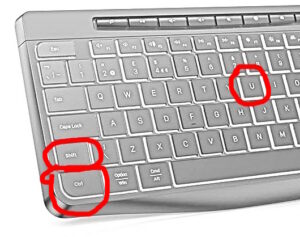
Transform text UPPERCASE or lowercase is a very common task for a developer. And when the text is not in the required case, you obviously don’t want to type it one more time. Luckily, there are the developers of Visual Studio who already thought about it. Read more»


Windows

How to fix error WSL (12 – Relay) ERROR: CreateProcessParseCommon in Windows 11

I knew that Linux is installed at my Windows Installation. And if I choose Ubuntu among the installed apps, I could use it. But not with WSL, then the error. It was the same as from command line, PowerShell. It also didn’t allow me to execute any Linux utils within ‘wsl -e … ‘ Read more»

Windows

My case of crashing the laptop with the connected external monitor

I started to use my old laptop (2019year) for specific tasks. Usually, I plug the laptop into my 32inch display and work this way. But after 2-3 minutes of work my laptop hanged. The display was with a huge quantity of noise. But without external display it worked perfectly. There are 2 video adapters – […] Read more»

Windows

Fix error no such table: “pragma_table_list” in DBeaver on opening the tables of SQLite database

Error with ‘pragma_table_list’ is actual not only for DBeaver, but also for any driver for SQLite. This post is about DBeaver just because I was working with it, when I met the error. The case is like this: I created an SQLIte database with Microsoft.EntityFrameworkCore and then I wanted to open it in DBeaver. But […] Read more»

Windows

Extend Windows Server trial

Windows

For local development I often need Windows server and I use trial version. As six months came through, I need to buy or extend it. Of course, I prefer to extend 🙂 Open PowerShell as administrator and execute the command: slmgr -rearm To continue the trial for your Microsoft Office, you can use OSPPREARM.EXEcd %SystemDrive%\Program […] Read more»

Windows

Debug only Your Code – Enable Just My Code in VS 2022

Today I will write about a very important option in VS 2022, which is called ‘Enable Just My Code’. I don’t really know, why is set so. In my opinion, almost all the developers update this value after installation of Visual Studio. Read more»

Windows

Virus like ‘Windows defender’ in Germany

Recently I met a new kind of screen locker while browsing. I could see it with Chrome and Edge in Windows 11. It opens a window which looks like a Windows defender and tells you to call to a number of the support. Of course, you will just pay too much for this call and […] Read more»

Windows

Add the application as a service at Windows Server

You can add the service with PowerShell. New-Service and Get-service are available in PowerShell 5, for ‘Remove-Service’ PowerShell >= 6 required. Otherwise you can use ‘sc.exe DELETE MyMegaServiceApplication’. You should execute it with as an administrator. Not any application you can start a service. As a .Net developer, I usually create .Net solutions, in this […] Read more»

Windows

Popular Posts