Windows

Copying a large file from a network drive with an unstable connection

When dealing with an unstable connection to a network folder or drive, copying a large file can become a serious challenge. The other day, after 5 failed attempts, I remembered an old utility that happens to be built right into Windows. View Post(opens in a new tab) Read more»

Windows

How to Merge Hyper-V Differencing Disks (.avhdx) Using PowerShell

Have you ever looked at your Hyper-V storage folder and realized a single virtual machine is consuming way more space than it should? I recently ran into this scenario with a Windows Server VM running SharePoint 2019. When inspecting the storage, I noticed that there were 3 separate virtual disks assigned to this single machine: Read more»

Windows

How to Unformat Text: Using “Join Lines” in VS Code

Visual Studio Code

I – and I think many other people – often use VS Code for code formatting. You can easily format a selected block of text by pressing Ctrl + K, Ctrl + F, or format the entire file using Shift + Alt + F. But how do you do the exact opposite? Read more»

Windows

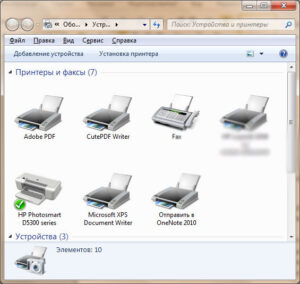
Fix “Please Wait for Printer Connection or Cancel” in Windows 11

PDF-принтер

If you see the message “Please wait for printer connection or cancel” when trying to print in Windows 11, Windows is usually attempting to select what it thinks is the most suitable printer automatically. This often happens when you use network printers. Read more»

Windows

Compact the VHDX Disk of a Docker Container or WSL

The size of the file C:\Users\Realdevtipsuser\AppData\Local\Docker\wsl\data\ext4.vhdx was 51 GB. I couldn’t determine who was using that file or why. Since “Docker” was in the path, it made sense to check Docker settings. And I found the answer: Docker Desktop uses WSL2 storage. Read more»

Windows

How to Write Formatted Code in Teams Chat

Teams

When you want to send to your colleague a text with C# code or any other language, you can make the code look just like in an IDE – colored and highlighted. If you type three backticks “` at the beginning of a line in Microsoft Teams and press Enter, you can write properly formatted […] Read more»

Windows

Set limited Wi-Fi connection within command line in Windows

How to manage Wi-Fi cionnections from the command line? I like to do lots of things with it. With the command ‘netsh wlan show profiles‘ you can get the list of all the known wifi-connections. You need these values to operate with them further. Read more»

Windows

Pipeline sequence in PowerShell

Here’s an example of a pipeline sequence in PowerShell — a simple but powerful concept.Imagine you forgot to clean up your old log files. Or, as I had to do today, you open the dreaded folder ‘inetpub/mailroot/Badmail’ on a dev server and see thousands of files. Read more»

Windows

Move multiple lines up and down with Notepad++

Notepad++

Accidentally I found out, that Notepad++ allows to move multiple lines up and down without Copy-Cut / Insert? Use Ctrl + Shift + (arrow up | arrow down). Read more»

Windows

Popular Posts