
It took me almost three years to find out why my laptop always had Wi-Fi connection issues with Azure and Microsoft services. Honestly, this piece of garbage software pushed me to my absolute limit.
Three years ago, I completely overhauled my life. I changed my job and had an incredible amount of new things to learn and adapt to:
- Career Shift: I stepped down as a manager of software developers to become a hands-on developer again.
- Relocation: I moved to a new country without speaking the local language.
- Family Separation: My son had to finish his education in our home country, meaning I didn’t see him for almost two years.
You can imagine the immense pressure and stress I was under.
When I started a new job, I had to learn new things like SharePoint Online, Microsoft Office 365, Azure. But very often I got errors when I made attempts to publish a solution to GIT, when I tried to open SharePoint online. 2 months I thought that was something wrong with Microsoft.
A bit later I found out that this problem happened only with Wi-Fi and I started to use a cable instead of Wi-Fi. The problems went away. It was a workaround, but not the fix.
When I worked at home, I also had to use LAN because Wi-Fi connections often failed at home. The connections were the same – Azure, SharePoint.
The turning point happened recently. I was working from home and couldn’t use a wired connection, but I had a hard two-hour deadline to finish a task. Desperate for a solution, I exported a list of all running processes to a text file and started digging.
2 items seemed to be suspicious:
- 0store-service.exe
- KillerNetworkService.exe
0store-service purpose is to simplify the process of installing and running applications without requiring administrator privileges. Obviously, this process didn’t impact on my laptop, it wasn’t a culprit.
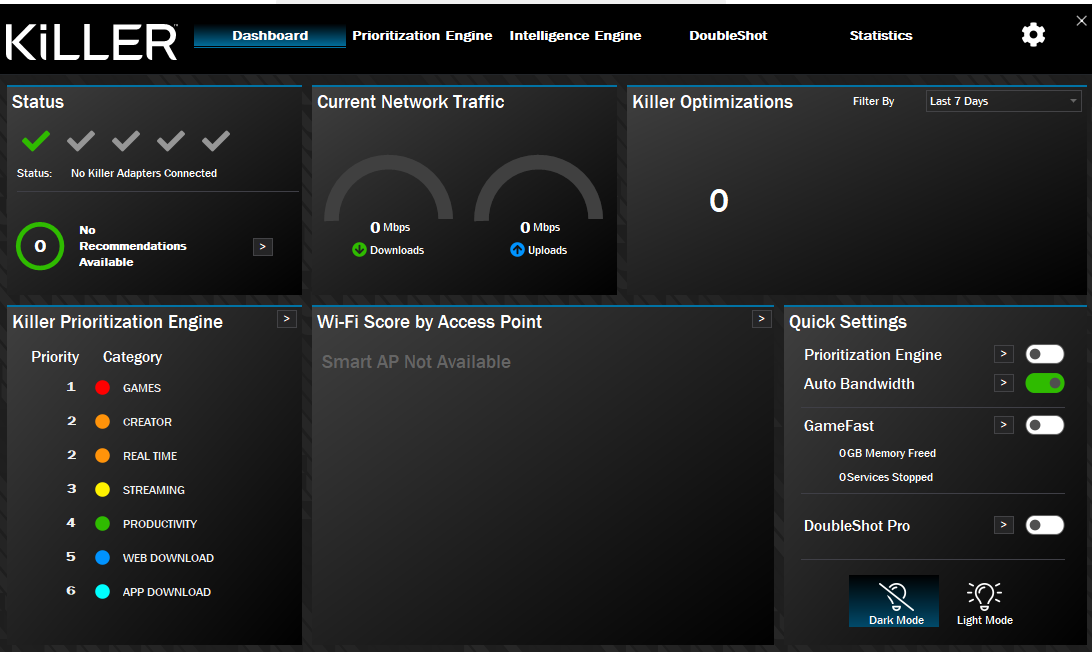
Killer Network Service is an Intel background process, its goal is to prioritize bandwidth for games and streaming apps to reduce lag. It also uses as a dependency KNDBWM (Killer Dynamic Bandwidth Management). This service dynamically manages bandwidth settings based on detection of internet traffic congestion.
Its “packet prioritization” misinterprets secure, persistent cloud connections
I closed the process in Task Manager but it started again. Then I stopped the service in Windows Services.
A miracle happened. Immediately, my Wi-Fi started working perfectly. I could connect to Azure, SharePoint, and Git without a single drop.