
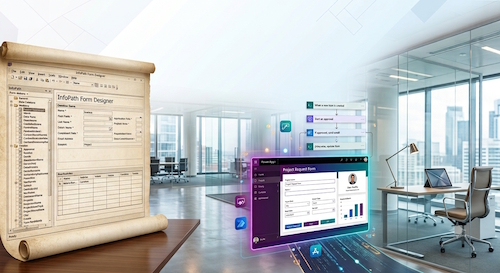
Microsoft pitch Power Apps and Power Automate as the natural successors to InfoPath – but can they actually get the job done? Historically, InfoPath allowed developers to inject custom C# or VB code, a feature they heavily relied on. A common corporate scenario went like this: a manager with a basic understanding of development would whip up a simple InfoPath form. Eventually, the IT department would be tasked with adding complex features and supporting the application. Because these forms were built quickly and usually lacked any documentation, supporting them was a nightmare for IT specialists.
Today, Power Apps and Power Automate are fantastic for their intended purposes: rapid prototyping, simple CRUD (Create, Read, Update, Delete) applications, automating standard office workflows, and empowering business units to build internal tools without waiting months for IT. They excel at bridging the gap for straightforward tasks.
However, once you try to force them into handling complex enterprise application logic, things can fall apart quickly. Here is why they often miss the mark for complicated apps:
- No True Code Support: Power Apps and Power Automate do not support traditional programming; they rely on Excel-style formulas. While some developers write incredibly complex formulas, they are still a poor substitute for real code.
- Maintainability and Version Control: Canvas apps and Power Automate flows do not natively support version control or branching the way standard code repositories do. Trying to perform code reviews, resolve merge conflicts, or manage multi-developer teams on a complex canvas app is a nightmare compared to using Git.
- Performance Bottlenecks: Power Automate loops (like “Apply to each”) and complex formulas in Canvas apps struggle with high-volume data processing. Developers quickly run into delegation limits and API throttling.
- “Click-Heavy” Debugging: Debugging a massive, nested Power Automate flow or a deeply layered Canvas app is incredibly tedious compared to stepping through code in a proper IDE.
- Architectural Limitations: Complex business logic often requires true object-oriented design, design patterns, and robust error-handling frameworks—concepts that feel clunky or outright impossible when restricted to low-code expressions.
- Deployment Downtime (The “Technical Interval”): Unlike traditional web apps where updates are swapped instantly without users noticing, deploying a Power Platform Solution upgrade requires a physical import and publishing phase. During this time, the app can become unstable and flows may temporarily pause. For high-volume, 24/7 global applications, scheduling these “maintenance windows” is a massive operational headache.
Power Platform tools are great supporting players in a modern ecosystem (for example, using a flow to trigger a webhook, or a Power App as a quick mobile frontend). But for core, complex application architecture, traditional development (like React paired with .NET and Azure) remains irreplaceable.