
jQuery

Click this or that element in jQuery

jQuery logo

If you want to set the same action for several elements, you can write IDs of elements separated by comma. This way: Read more»

React

How to get index of selected option in Select control

It took me some time to get the index of selected value of <select> html control. I tried to use ‘attr’, but ‘prop’ should be used for this. Read more»

React

jQuery. Colorize even and odd rows of table

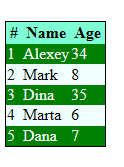
Tables with at least 20 rows are more readable when its rows look like stripes – even row in one color, odd one in another. Before jQuery we used to add class to each row of table, we made “<tr class=”even”> …</tr>” and “<tr class=”odd”> …</tr>”. Now it’s much easier to do using jQuery. Read more»

React

jQuery. How to get ID of clicked element

When I wanted to get the ID of clickable element using jQuery, I have found out that I don’t remmember such a simple thing. I had to look for it. And I’ve found it 🙂 I had buttons with class “phonebtnCall” and some IDs. I wanted to know which of buttons was clicked. Read more»

React

How to change css styles of elements using jQuery

Sometimes when you work with jQuery,  you want to change css-style of elements. There are two common ways to do it: 1 – to change class of element, 2 – add css attribute Read more»

React

Disable copy text with jQuery

This code disables context menu, cutting, copying and dragging text. Sometimes you need it. Just add the code to a page or to .js file and include it to a page. Read more»

React

Change table columns order via jQuery

When you have a table which you can’t edit, you think you can’t do anything with it. It may be a result of an outside procedure or web-service (usually it returns data in XML, but html-table also can be). So, for example, we have a list of Borussia Dortmund players. We know id in list, […] Read more»

React

Popular Posts