jQuery

The customizing of Tabs control from ANTD

I like the Ant Design of React and for me it’s very useful. Usually I prefer functionality to a better design and it allows me to achieve a functionality much faster. But when you do something not for yourself, you have a customer and he decides which design better. Read more»


React

Open specific tab on page load with JQuery UI

jQuery logo

I made a simple HTML page with JQuery UI tabs. But the customer asked to give URLs for each tab. I was a bit surprised with it, because I remember only how to make default tab on page load. You can do it with the syntax like this: $(“#tabs”).tabs( { selected: x  });  where ‘x’ […] Read more»

TypeScipt / Javascript

Javascript equivalent to PHP print_r($array)

Javascript logo

There’s an equivalent in jQuery to PHP function print_r($array). It’s good when you want to see an associative array. Especially, if you get it via some function. Read more»

TypeScipt / Javascript

Chain multiple selectors in jQuery

jQuery logo

If you want to apply the same action for multiple selectors in jQuery, you should write down their identificators separated by comma. It can be as simple ID of elements, their classes or something more difficult. Read more»

TypeScipt / Javascript

jQuery find tag which contains text

jQuery logo

Find tag which contains some text you’re looking for using jQuery. It’s a common task if you want to modify some elements on page but you can’t modify html-code of page. Read more»

TypeScipt / Javascript

JavaScript function EnableDisableChekboxes to set constraint of maximum allowed quantity checked checkboxes

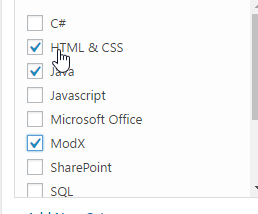
There’s a common constraint in votes or surveys like “choose no more than 3 items”. And it’s not a good idead to allow user control the checked items quantity. You can easily set constraint to a quantity of checked checkbox items with JavaScript and jQuery. You can just disable unchecked checkbox items if user checked […] Read more»

TypeScipt / Javascript

Escape curly brackets in ID in jQuery

I have a table in SharePoint list view which ID contains curly brackets ‘{9C48B48F-AA4E-4B34-8CE6-37E4C0EBAD8B}-{9B1EEE61-5E3C-4CA1-96CD-DB15199EDC83}’. I tried to select the table using jQuery but on the brackets I’ve got a Javascript error about a sequence of characters. Read more»

React

Popular Posts