Windows server

Extend Windows Server trial
Windows

For local development I often need Windows server and I use trial version. As six months came through, I need to buy or extend it. Of course, I prefer to extend 🙂 Open PowerShell as administrator and execute the command: slmgr -rearm To continue the trial for your Microsoft Office, you can use OSPPREARM.EXEcd %SystemDrive%\Program […] Read more»

Windows

Common error after installation of MS SQL server 2012

After installation of MS SQL Server 2012 on Windows Server 2012, I had gotten these errors in Event Viewer on execution server:The server was unable to initialize encryption because of a problem with a security library. The security library may be missing. Verify that security.dll exists on the system.TDSSNIClient initialization failed with error 0x139f, status […] Read more»

SQL and databases

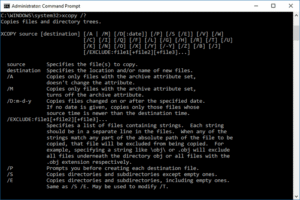
Select and move files by mask with Windows command line

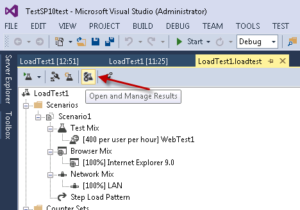
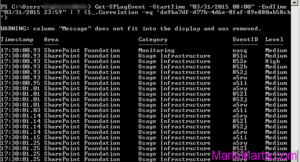
Figure 2. The result of command Get-SPLogEvent

During previous 5 years I have downloaded files from FTP server. Those were texts and images, that had been downloaded from FTP resources. During these 5 years its quantity became enormous – over 150 000 items in each folder. It worked automatically, that’s why I hadn’t paid attention to disc size and quantity of files. […] Read more»

Windows

Prepare to install Microsoft SharePoint 2016

SharePoint 2016 Logo

I’m preparing to install Microsoft SharePoint Server 2016 to machines in the VLAN without access to Internet. All the distibutives of SharePoint ask for prerequisites which must be downloaded and installed. Unfortunately, you should get them by yourself. If you have internet access, than it’s not a problem. But if you don’t have it? Read more»

SharePoint

Execute PowerShell script in Task Scheduler

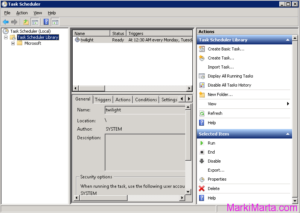
Figure 1. Task scheduler

PowerShell is a very flexible tool for Windows and Windows-software administrators. You can do a lot of things with it. Sometimes you start to think of how to execute powershell scripts from Task Scheduler. It’s not enough just to add a PS-file in scheduler, you need to do something more. Read more»

Windows

Popular Posts