
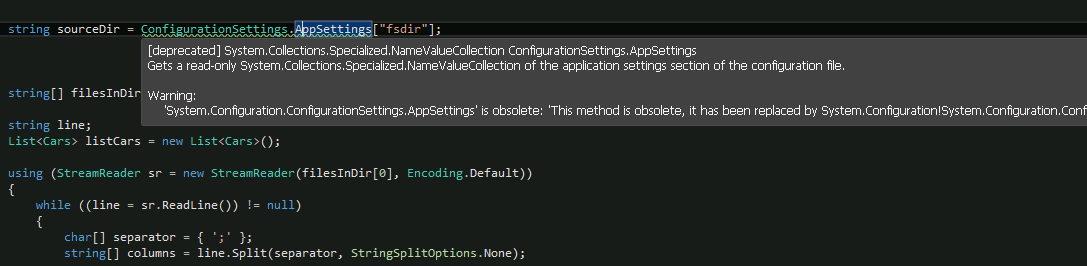
Usage “Application configuration file” is very good in creating simple applications. It’s very good to store in it values like path, string for database connection or something like this. I use it for a long time. But not so long ago I have noticed that Studio highlights string where configuration file used:
[Deprecated] System.Collections.Spicialized.NameValueCollection ConfigurationSettings.AppSettings
The example of highlight is in the figure 1.
To fix it you should make next steps:
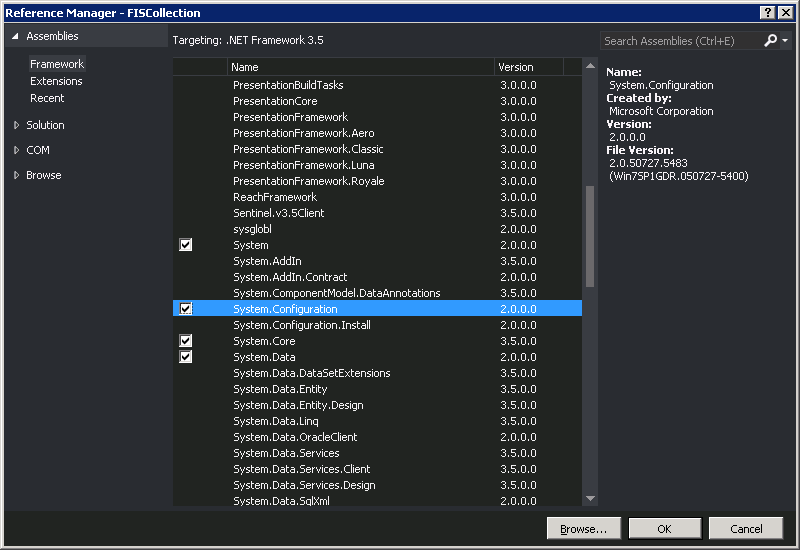
1. Add reference to System.Configuraion in your project (Figure 2).
2. Change “ConfigurationSettings” to “ConfigurationSettings”
string sourceDir = ConfigurationSettings.AppSettings[“fsdir”];
to:
string sourceDir = ConfigurationManager.AppSettings[“fsdir”];
Now no obsolete warnings about using configuration settings.