Software

Create Table of Contents in Microsoft Word
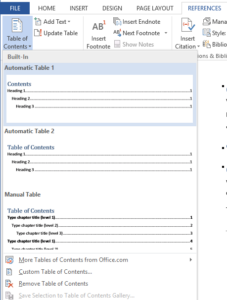
Figure 1. Create automatically a Table of Contents in Microsoft Word

Word allows you to create a Table of Contents automatically. It searches headings in your document and creates contents according to them. Headings must be set via headings styles in tab “Home”. Read more»
Microsoft Office

Using System.Environment Class in PowerShell

In PowerShell you can use a lot of modules and classes of your machine. Built-in system class “System.Environment” allows you to get a lot of useful information about your machine. Its syntax is like this [System.Environment]::class_property or [System.Environment]::class_method. Read more»

Windows

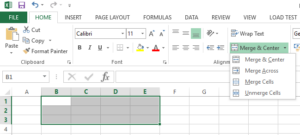
How to merge Excel cells

Figure 3. Merge cells in Excel

You can merge Excel cells in 3 simple steps: Select a range of cells. Right click on the selected cells and then choose Format Cells (Figure 1) Go to the Alignment tab and check the checkbox “Merge cells” (Figure 2).   The other way to merge cells in Excel is via Excel Ribbon. This way […] Read more»

Microsoft Office

How to rotate text in Excel cell on 45 degrees

Figure 1. Excel table

Excel has a huge number of tools for customizing text and tools to count data. So, one of useful things is to rotate text on any angle. It can be useful for customizing table headers. Read more»

Microsoft Office

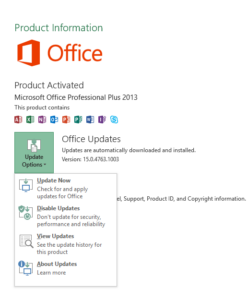
How to disabe Microsoft Office automatic updates

Figure 2. Change MS Office update settings

During long use of Microsoft products, I got a habit that to update Microsoft Office I need to download Service Pack for my MS Office version. But in MS Office 2013 I can easily press some buttons for updates. Read more»

Microsoft Office

Pack and unpack files in linux console using Tar

Figure 1. Directory tree

Some Linux-commands for work with archives from command line. In this tutorial we have this structure (Figure 1 and Figure 2): /home/alexey/Documents/mydir/ – is a directory for adding to archive. Read more»

Web server

PowerShell. Check if file or directory exists

If you need to know whether file is, you should use “Test-Path” cmdlet in PowerShell.  It returns “True” if the file or directory exists and returns “False” in other case. Read more»

Windows

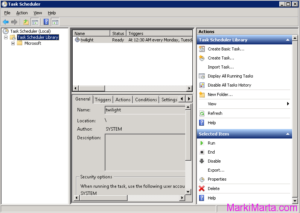
Execute PowerShell script in Task Scheduler

Figure 1. Task scheduler

PowerShell is a very flexible tool for Windows and Windows-software administrators. You can do a lot of things with it. Sometimes you start to think of how to execute powershell scripts from Task Scheduler. It’s not enough just to add a PS-file in scheduler, you need to do something more. Read more»

Windows

Execute commands on Remote machine using Windows PowerShell

If you are an administrator of several servers, I don’t think you want to execute PowerShell script on each server manually, especially if you have 20 or more servers. Since PowerShell 2.0 you can execute commands on remote computers using PowerShell via WinRM (Windows Remote Management) service. Read more»

Windows

PowerShell script to extract file from zip-archive

The PowerShell script below extracts one file from zip-archive which contains several files. I use code like this to get files with financial references from zip-archives and update SharePoint lists from them. So there’s a lot of things where this sctipt can be used. Read more»

Windows

Popular Posts