PowerShell

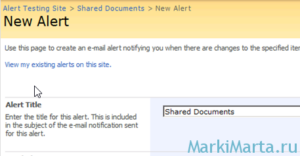
Включить или отключить отправку оповещений в SharePoint 2010 из PowerShell

Для изменения большого числа записей в списке SharePoint, на который было подписано много человек, столкнулся с задачей, чтоб в это время пользователи не получили кучу сообщений. Думал про 2 реализации отключения оповещений: 1 – изменить настройки SMTP сервера на заведомо неверные, чтоб вся почта скопилась в папке Queue, а потом ее удалить; 2 – временно […] Read more»

SharePoint

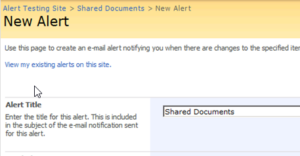
Enable and disable SharePoint alerts via PowerShell

For a massive update of a SharePoint list items I didn’t want users, who subscribed for alerts about changes in the SharePoint list, got the messages about it. There were 2 ways to do it: 1 – temporary to disable SMTP server (change SMTP settings to wrong ones) and delete files from Queue folder after; […] Read more»

SharePoint

Using System.Environment Class in PowerShell

In PowerShell you can use a lot of modules and classes of your machine. Built-in system class “System.Environment” allows you to get a lot of useful information about your machine. Its syntax is like this [System.Environment]::class_property or [System.Environment]::class_method. Read more»

Windows

Concatenate SharePoint list items values

Most of all I use PowerShell for administration of SharePoint portal. But also I use it when I need to make some actions with SharePoint lists – get items, update items, remove items (link how to remove items) or to make report based on lists on SharePoint. Read more»

SharePoint

Get author of SharePoint list

Below I write a powershell script to get the author and date of creation of SharePoint List. Today I have suddenly found out the new list. I was very surprised to see it and wanted to know who and when created it. Read more»

SharePoint

Execute PowerShell script in Task Scheduler

Figure 1. Task scheduler

PowerShell is a very flexible tool for Windows and Windows-software administrators. You can do a lot of things with it. Sometimes you start to think of how to execute powershell scripts from Task Scheduler. It’s not enough just to add a PS-file in scheduler, you need to do something more. Read more»

Windows

Popular Posts