

The size of the file C:\Users\Realdevtipsuser\AppData\Local\Docker\wsl\data\ext4.vhdx was 51 GB. I couldn’t determine who was using that file or why.
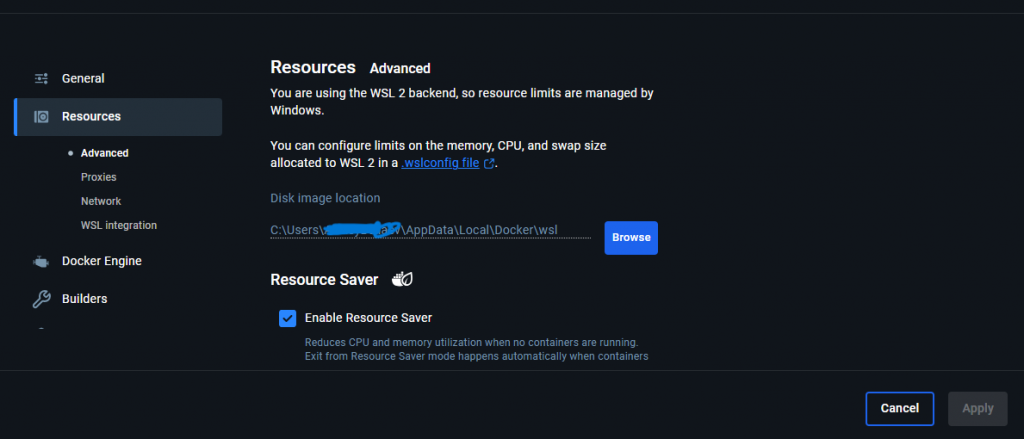
Since “Docker” was in the path, it made sense to check Docker settings. And I found the answer: Docker Desktop uses WSL2 storage.
Check container sizes
I use three containers, and their total size is less than 3 GB, not 50! You can check this with the PowerShell command:
docker ps -a
Probably, I once installed something big and the drive increased. Usually, this is a one-way process—the disk never shrinks on its own.
Compact the VHDX
The command to optimize the disk is:
Optimize-VHD -Path "C:\Users\Realdevtipsuser\AppData\Local\Docker\wsl\data\ext4.vhdx" -Mode Full
But you must ensure Docker and its dependencies are not running. When I executed this command, I got an error because the file was being used by another process (0x80070020):
The system failed to compact ‘C:\Users\Realdevtipsuser\AppData\Local\Docker\wsl\data\ext4.vhdx’.
Failed to compact the virtual disk.
The system failed to compact ‘C:\Users\Realdevtipsuser\AppData\Local\Docker\wsl\data\ext4.vhdx’: The process cannot access the file because it is being used by another process. (0x80070020).
Free the file
To release the file, you need to:
- Stop the Docker desktop,
- Stop the Docker service (Windows services)
- Restart the WSL Service (‘WSLService’ or ‘LxssManager’ in dependency of the Windows version).
To find the correct service name for step 3, use PowerShell
Get-Service *wsl*
Then run
restart-Service WSLService
wsl –shutdown
After that execute optimize command Optimize-VHD -Path
Optimize-VHD -Path "C:\Users\Realdevtipsuser\AppData\Local\Docker\wsl\data\ext4.vhdx" -Mode Full
After the compacting the file shrank to 11Gb.
Alternative: Diskpart
As an alternative you can use a console utility ‘Diskpart’. The commands are similar.
How to compact the VHDX with Diskpart
Execute the utility with diskpart command
Run > diskpartThen inside Diskpart:
select vdisk file="C:\Users\Realdevtipsuser\AppData\Local\Docker\wsl\data\ext4.vhdx"
compact vdisk
Note: WSL2 must be stopped before compacting.