Determine SharePoint site collection disk usage
To understand the size of site collection, you can use DiskUsed property in PowerShell console. Read more»
Before moving sites between content databases, you should know a quantity of your databases for your WebApplication. You can move sites between content databases only if they are in the same WebApplication! Read more»
There’s a table in SharePoint content database where all the events are written in case if audit is turned on. But SharePoint doesn’t display real-time statistic about users on site, it gives you statistic only on the next day. Read more»
Using SharePoint there can appear orphans objects. This is when there must be an object – there are records about it in database, but there’s no this object. It can be a result of incorrect deletion or troubles with network while working. Read more»
The task – create SharePoint list so that users could only add list items but couldn’t see any items, even created by them, and, of course, couldn’t edit or delete them. May be there are some ways to do it, but I found this solution to create new permission set – user can add view […] Read more»
Today I was surprised to see duplicated records in SharePoint list which I imported and updated from XML-files. So I started to find a solution to find duplicated records, see them and delete. Read more»
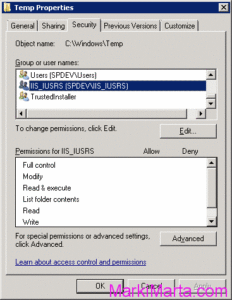
Working with local copy of my WordPress site I found that I don’t see my uploaded images – I see thumbnails, but don’t see original images. My PC OS is Windows 7 x64, local web server – IIS. When I tried to open image, I got error 500 – in IIS it can be anything. Read more»
While creating a test SharePoint 2010 Farm I have installed all the software, solution, attached content database and wanted to see the result being on one of front-end servers, sp10wfe1. Test portal URL is http://sp10. So I entered URL in browser http://sp10 and wanted to see a site. Browser asked me about login and password, I entered them […] Read more»
I found a great collection of Visual Studio shortcuts. While coding I often comment some lines of code. Using shortcuts it’s even more easy. It’s not a common combination – select lines to comment and press Ctrl + K then Ctrl + C, to uncomment – Ctrl + K then Ctrl + U. Read more»
Unfortunately, there’s no equivalent for “Truncate” in SharePoint Lists. It’s not very good. If your list has more than 1000 items and you need to load only new data to list, you need to remove all existing items and to add new ones. This task is easy to code but not very fast to execute. Read more»