
Get all child folders with PowerShell
The commandlet ‘Get-ChildItem’ will give you all the default information about the folders inside. By default they are: Mode, LastWriteTime, Length (for files) and Name. Get-ChildItem c:\Path Read more»
The commandlet ‘Get-ChildItem’ will give you all the default information about the folders inside. By default they are: Mode, LastWriteTime, Length (for files) and Name. Get-ChildItem c:\Path Read more»

To exclude folders, files or file extensions in scanning by Windows Defender, you can use PowerShell. It’s recommended to use by administrators. With this PowerShell script (command) you can easily set exclusion for the Windows Defender. It is useful sometime and help to improve the performance. Read more»
I prefer not to store operation system Windows 10 and my files on the same drive. When I have to reinstall Windows and loose data on system drive, I will not remove my files if they are on another drive. That is why I recommend to store your files on the second drive. Read more»
To sync the time on a computer with Windows OS you can run the command in console: w32tm /resync /force Read more»
It is a very common task to truncate log files. You don’t notice them and they reach the limit size always not in the appropriate time. And when this moment occurs, it’s much better to have a quick solution to decrease the size of log files. But even much better to clean logs automatically on […] Read more»
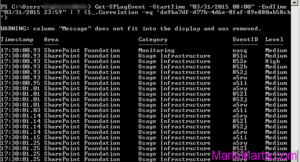
During previous 5 years I have downloaded files from FTP server. Those were texts and images, that had been downloaded from FTP resources. During these 5 years its quantity became enormous – over 150 000 items in each folder. It worked automatically, that’s why I hadn’t paid attention to disc size and quantity of files. […] Read more»
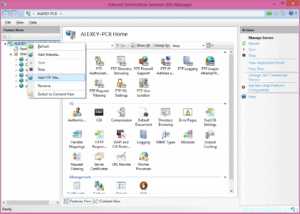
Application pool allows you to isolate your applications from one another in case if they are running on the same server. According to this, if there are errors in one application, they will not influence other web applications executing on the same server or the IIS server itself. But if your w3wp process has 100% […] Read more»
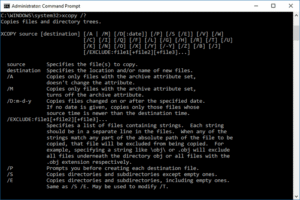
You can easily copy files from one directory to another. You can easily create cmd-file with the command XCOPY and it’s keys and make copies of files. Read more»
You can initialize and fill multidimension hashes (arrays) in powershell this way: Read more»
This is an manual how to work with arrays in PowerShell – how to create them, fill and read. You can initialize array this way: Read more»